Library Media Center
Welcome to the SPHS Library Media Center
Hours: 7:30 AM - 4:00 PM
Welcome to the School Library: Your Hub for Resources and Tech
The library is here to support your learning with more than just books! Visit us to access:
- Resources: Check out textbooks, library books, laptops, and calculators.
- Printing: Printing is available inside the library, in the Career Center (located to the left).
- Tech Support: Having trouble with your device? The IT Department is located inside the library, to the right. They can assist with password resets and laptop functionality.
- Scroll down for instructions on accessing StudentVue.
- SOAR A.M. Study Zone in the Library begins at 7:15 - 8:15 A.M., daily - a place to sit or catch up on work before school starts.
Other Info:
- Daily Loaner laptops are unavailable.
- Library books: Checkout limit is 4 books for a duration of 3 weeks; renew as needed.
- Textbooks/class novels: Must be returned no later than the last day of the school year to avoid fees.
NEW BOOKS ARRIVED...

___________________________________________________________________
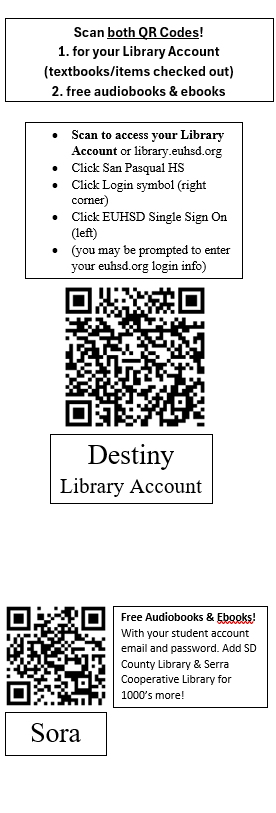
Access to useful links - including your Student Library Account and access to search our Catalog.
- Click Follett then Choose "San Pasqual High School"
- Click "Log In" in the right top corner
- Click "Single Sign On" (on left) and use your district Username & Password. If logged in device, it will be automatic
- Click “Login with Microsoft” (DO NOT enter ID# or Birthdate in blank boxes)
- If prompted, use your school email Username (3-5-3 email format)
- Enter your Password (the one you use to get on your laptop)
Note: If using the StudentVue app, check that you are on Escondido Union High School District, not San Pasqual Union. Leave the Username and Password blank and just click Login with Microsoft.
For StudentVue help, ask the Library Staff.
Student Microsoft Accounts
For password help, go to the Technology Department, inside the Library, to the back right. (IT doors inside the Library)
____________________________________________________________________